6D Orientation Detection on an LSMDSL IMU with Zephyr
The Xiao BLE sense is a great little BLE development board for Zephyr applications. The “sense” variant comes jam packed with sensors including the LSM6DS3TR-C, a 6 axis IMU. But, I found Zephyr’s built in driver a bit restricting when trying to take advantage of everything that the LSM6DS3TR-C is capable of.
In this sample , we’ll pull in ST’s library . We’ll use it to configure an interrupt on orientation change. This is very useful for low power projects where the device needs to wake up on some specific orientation.
You can find the completed project in the Github repository .
Notice that the ./drivers/lsm6dsl_stm folder contains the lsm6dsl_reg.c and lsm6dsl_reg.h files from the driver’s source repository. Then, I’ve included some platform glue code in src/lib/lsm6dsl/ translate the “Zephyr-isms” into something driver code can use. This includes abstractions for stuff like I2C operations and delays.
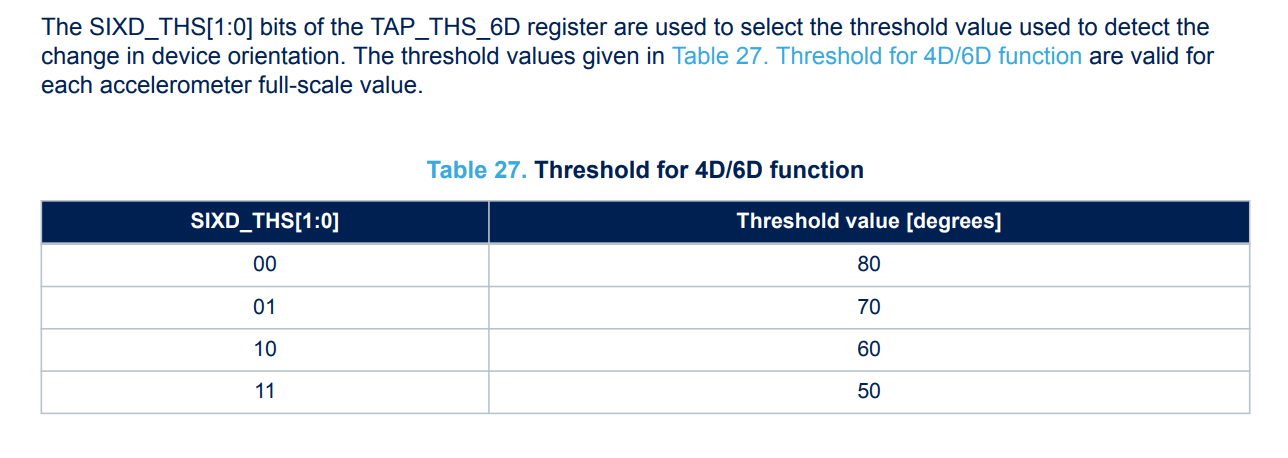
In main.c, we first configure_imu_orientation using the lsm6dsl library and direct I2C writes. You can play with the threshold sensitivity via lsm6dsl_6d_threshold_set;. This feature is described in the chip’s application note on page 39:
The interrupt is routed to interrupt pin 1 on the IMU. But, the corresponding pin still needs to be configured on the nRF52.
We do that in setup_imu_interrupt. Notice that the lsm6ds3tr_c node label is already configured for the XIAO BLE Sense board in upstream Zephyr, so we can just grab the correct interrupt pin from the device tree node:
static const struct gpio_dt_spec imu_int =
    GPIO_DT_SPEC_GET(IMU_NODE, irq_gpios);

LOG_INF("Setting up IMU interrupt on pin %d", imu_int.pin);
int ret = gpio_pin_configure_dt(&imu_int, GPIO_INPUT | GPIO_PULL_DOWN);
ret = gpio_pin_interrupt_configure_dt(&imu_int, GPIO_INT_EDGE_RISING);
gpio_init_callback(&imu_cb_data, imu_interrupt_handler, BIT(imu_int.pin));
gpio_add_callback(imu_int.port, &imu_cb_data);
If you’re curious about the details of the IMU node, you can go to the board definition in the Zephyr repository and view the lsm6ds3tr i2c0 entry. As you can see below, GPIO 11 is the pin connected to the IMU’s interrupt.
lsm6ds3tr_c: lsm6ds3tr-c@6a {
    compatible = "st,lsm6dsl";
    reg = <0x6a>;
    irq-gpios = <&gpio0 11 GPIO_ACTIVE_HIGH>;
    status = "okay";
};
The imu_interrupt_handler kicks off a work_queue item so that we don’t tie up the processor inside the interrupt for too long.
Then, imu_orientation_work_handler reads the interrupt source from the IMU to determine which orientation change triggered the interrupt. The available orientations can be conceptualized in Figure 14 of the application note :
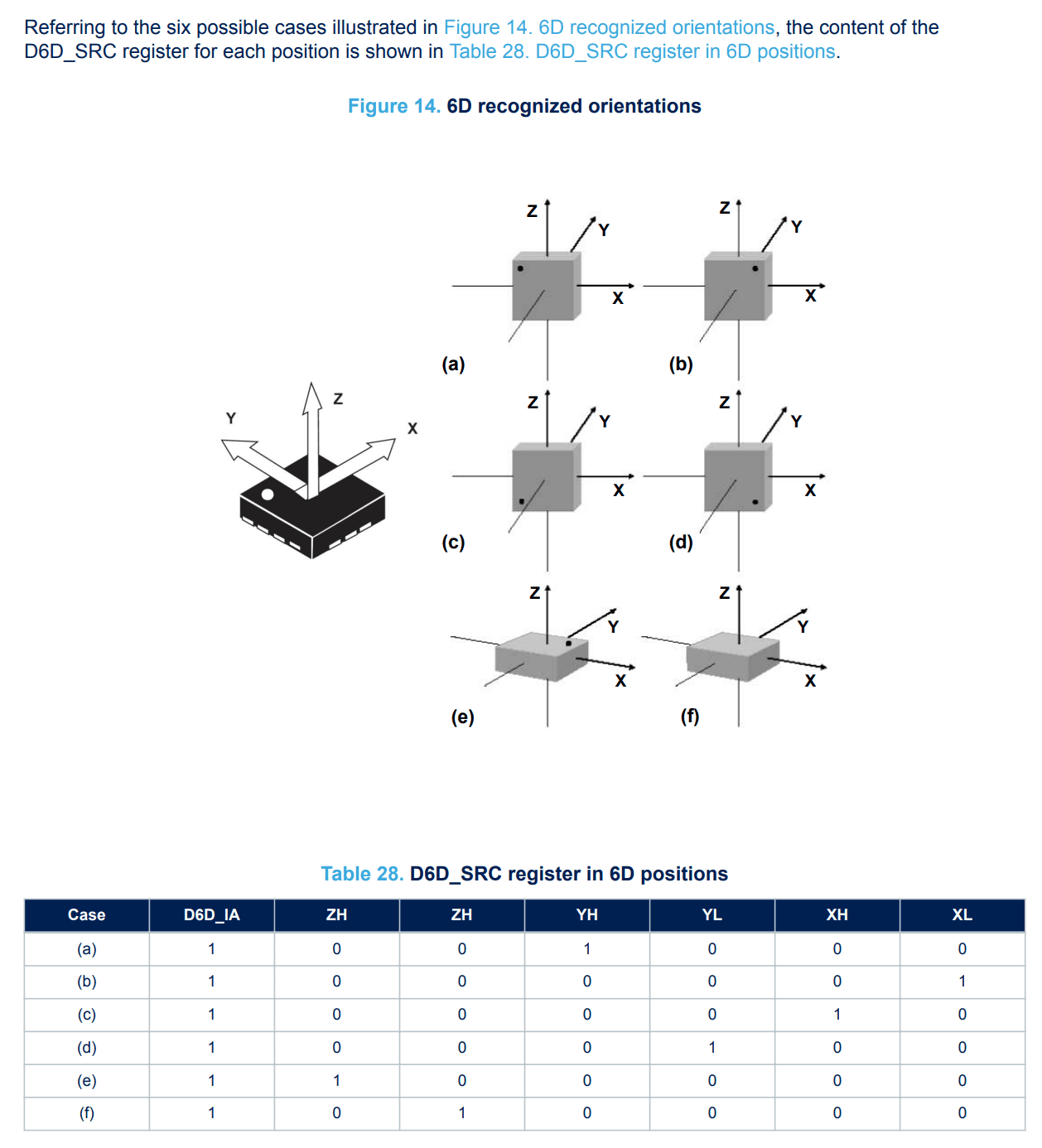
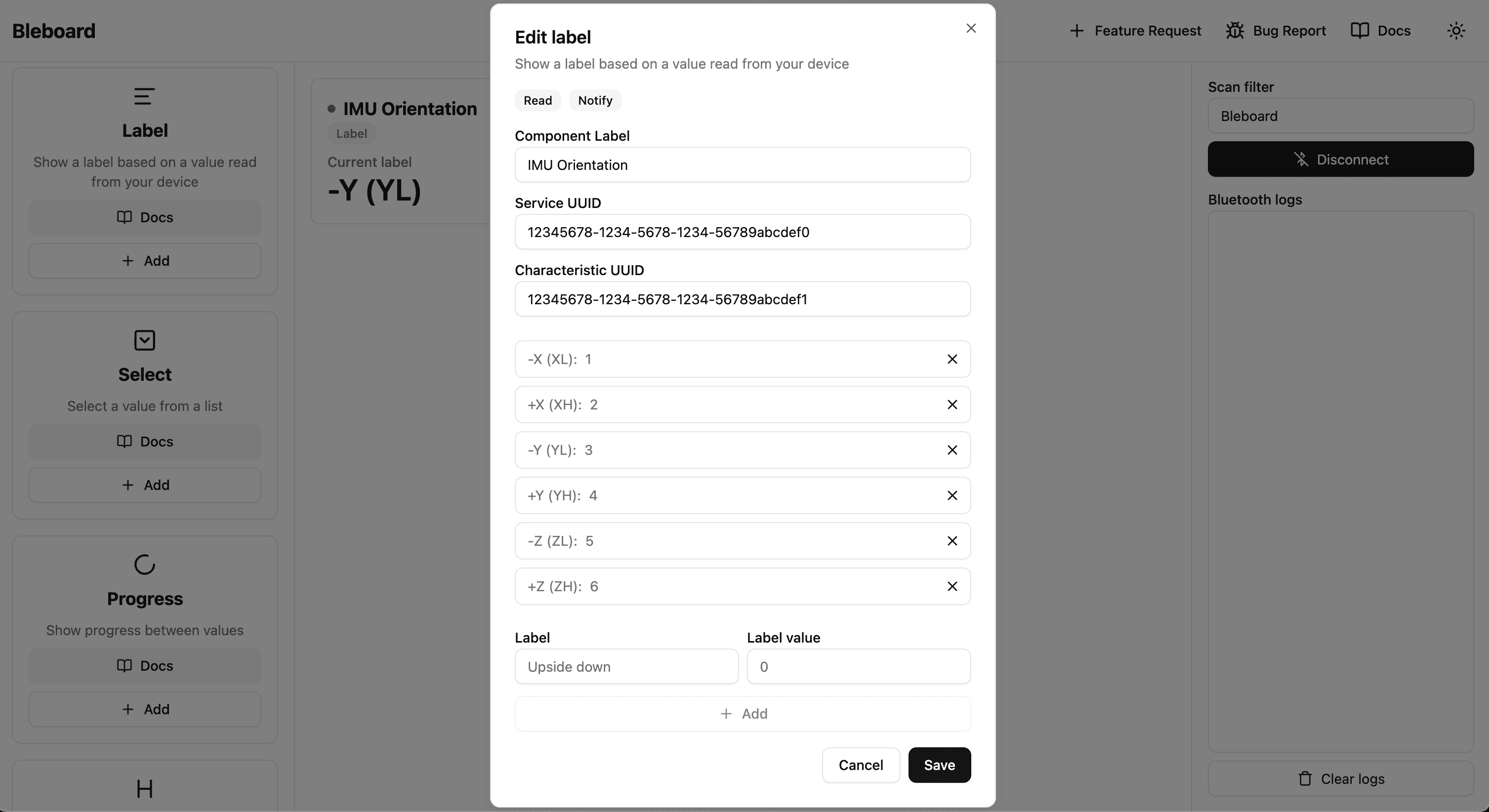
The orientation is then notified to the connected central device via orientation_updated. Back in our Ubique IoT, we can create a new label component to reflect the device’s orientation:
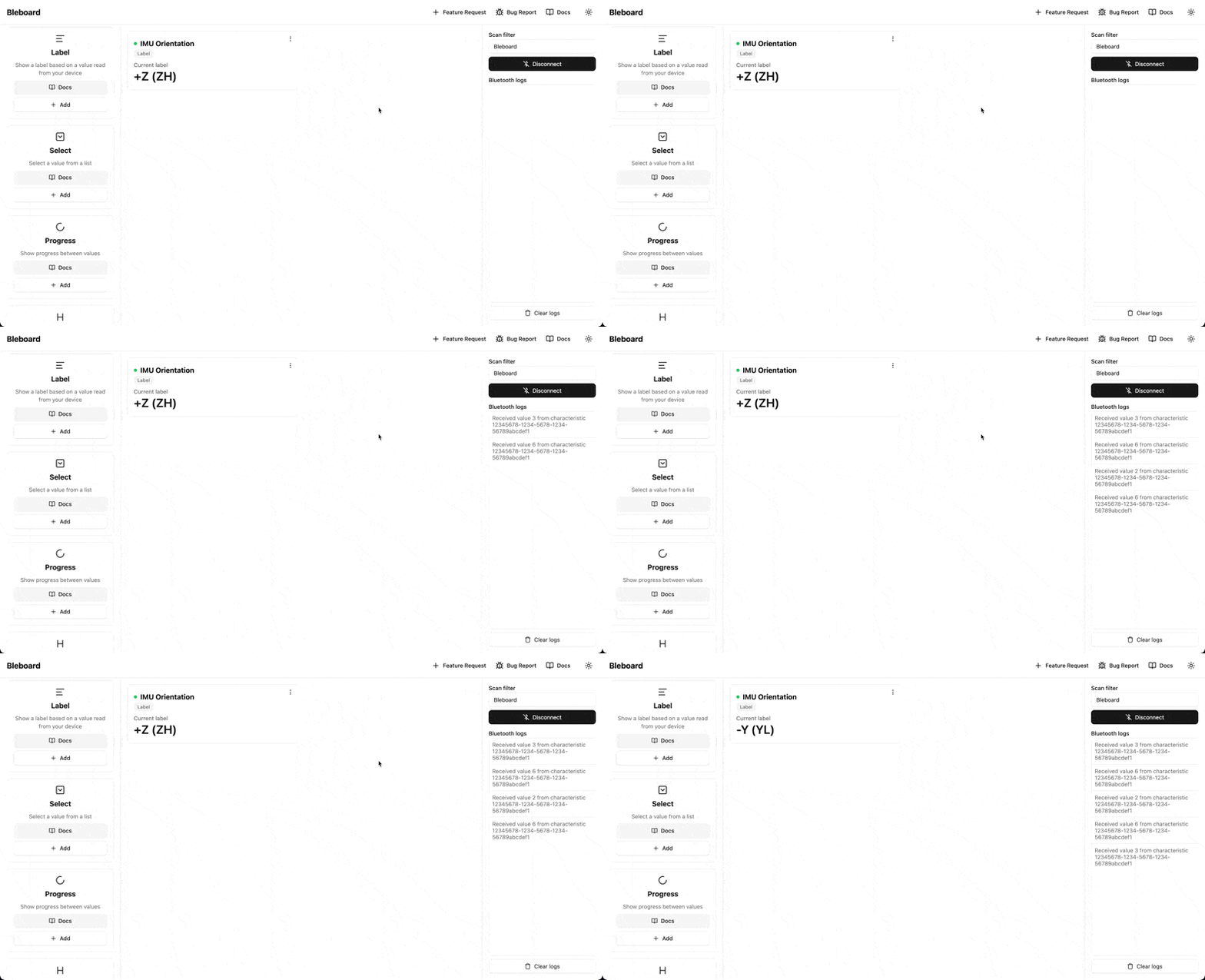
When you connect to the device and start to play with it’s orientation, you’ll see the label component update with the latest output:
[Try it out yourself!](https://dashboard.Ubique IoT.com)